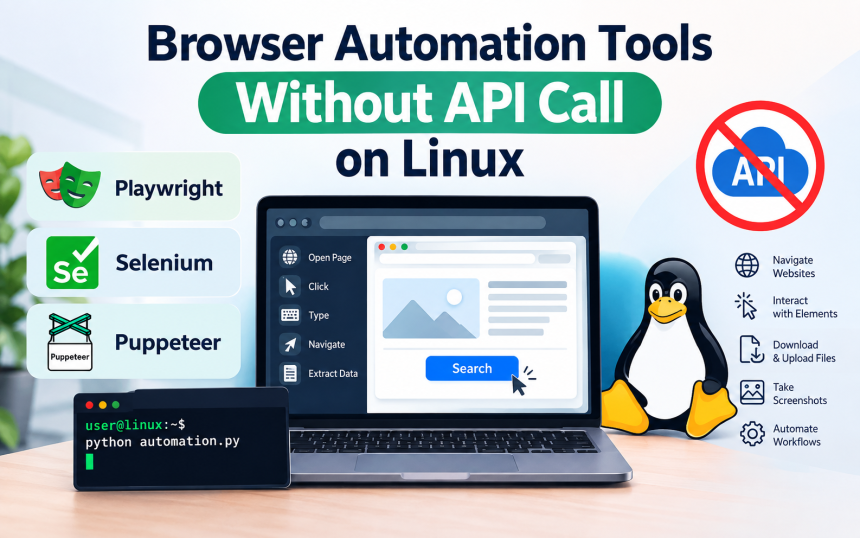
Browser automation tools without API call on Linux allow users to automate websites directly through a browser interface instead of connecting to a service through an API. Tools such as Playwright, Selenium, and browser-based automation frameworks can open pages, click buttons, enter information, navigate menus, and extract visible content. This approach is useful when a website has no public API or when the required task depends on interactions available only through its graphical interface.
What Are Browser Automation Tools Without API Calls?
Browser automation without an API means controlling a real or automated browser through its user interface rather than sending requests directly to a website’s backend.
Traditional API automation might send an HTTP request to a service and receive structured JSON data. Browser automation works differently: an automation program launches Chromium, Firefox, or another supported browser, loads a webpage, finds an element such as a button or input field, and performs an action.
This approach is commonly called browser automation, web UI automation, or browser-based automation. It can be useful for websites that provide functionality through their interface but do not expose an API for the particular operation you need.
Which Browser Automation Tools Work on Linux?
Several established frameworks can automate browsers on Linux, with Playwright and Selenium being two widely used options.
Playwright
Playwright is a browser automation framework that supports Chromium, Firefox, and WebKit. It provides APIs for Python, JavaScript/TypeScript, Java, and .NET, making it practical for both small scripts and larger automation projects.
Playwright can locate page elements, fill forms, click controls, wait for navigation, capture screenshots, handle multiple pages, and work with browser sessions. Its automatic waiting behavior can also reduce problems caused by pages loading asynchronously.
Selenium
Selenium is another established option for controlling web browsers. It supports major browsers and has bindings for several programming languages, including Python, Java, JavaScript, C#, and Ruby.
Selenium is particularly common in testing environments, but its WebDriver architecture can also be used for legitimate browser automation tasks. On Linux, Selenium can run browsers in either visible or headless mode.
Puppeteer
Puppeteer is a browser automation library maintained by the Chrome for Developers project. It is primarily associated with JavaScript and Chromium-based browser automation, although its capabilities have expanded beyond its original Chrome-focused design.
It can automate navigation, interaction, screenshots, PDF generation, and other browser operations from a Linux machine.
How Does Browser Automation Work on Linux?
The basic process is to install an automation framework, launch a supported browser, identify webpage elements, and execute the required actions.
A typical workflow looks like this:
- Install Linux dependencies required by the browser and automation framework.
- Install an automation library, such as Playwright or Selenium.
- Launch a browser from the automation script.
- Navigate to the required website.
- Locate page elements using selectors such as text, roles, labels, or CSS selectors.
- Perform actions such as clicking, typing, selecting, or scrolling.
- Wait for the page to respond before continuing.
- Read or save the resulting information.
- Close the browser when the workflow is complete.
The important distinction is that the script interacts with the website through its browser interface rather than requiring a dedicated API endpoint.
Can You Use Playwright on Linux Without an API?
Yes, Playwright can automate websites directly through a browser on Linux without requiring the website to provide an API.
For example, a Python script can open a Chromium browser, visit a webpage, locate a search field, enter text, and read the resulting page. The website does not need to provide an API specifically for those browser interactions.
A simple conceptual example is:
from playwright.sync_api import sync_playwright

with sync_playwright() as p:
    browser = p.chromium.launch(headless=True)
    page = browser.new_page()

    page.goto("https://example.com")
    print(page.title())

    browser.close()
This demonstrates browser control rather than API communication. Before automating a real website, you should also check its terms of service, robots rules where applicable, authentication requirements, and rate limits.
What Linux Environments Can Run Browser Automation?
Browser automation can run on common Linux distributions and environments, provided the required browser dependencies are available.
Ubuntu and Debian-based systems are frequently used for automation servers because they have extensive package support and documentation. Automation can also run on distributions such as Fedora and Arch Linux with the appropriate browser and system dependencies.
For server environments, headless mode is especially useful. A headless browser runs without displaying a normal graphical browser window, allowing automation to operate on a server or virtual machine without a desktop environment.
What Can You Automate Without an API?
Browser automation can reproduce many ordinary actions that a human performs through a website’s interface.
Common examples include:
- Opening webpages and navigating between pages
- Filling forms
- Clicking buttons and menus
- Searching websites
- Downloading files
- Uploading files
- Taking screenshots
- Extracting visible page information
- Testing website functionality
- Checking whether page elements appear correctly
- Repeating routine administrative workflows
However, browser automation does not automatically bypass authentication, CAPTCHA systems, access controls, paywalls, or other security mechanisms. Automation should remain within the permissions and rules of the website being accessed.
Browser Automation vs API Automation
The main difference is how the automation communicates with a service.
| Feature | Browser Automation | API Automation |
|---|---|---|
| Main interface | Web browser | API endpoint |
| Interaction | Clicks, typing, navigation | Requests and responses |
| Requires public API | No | Usually yes |
| Handles visual UI | Yes | No |
| Speed | Generally slower | Generally faster |
| Maintenance | Can change when UI changes | Usually more stable if API remains stable |
| Typical output | Webpage or browser state | Structured data |
An API is generally more efficient when an appropriate official API exists. Browser automation becomes useful when the required functionality is available through the website interface but not through an accessible API.
What Are the Main Limitations?
The biggest limitation is that browser automation depends on the website’s user interface remaining sufficiently stable.
If a website changes a button’s text, page structure, element identifiers, or navigation flow, an automation script may stop working. Dynamic websites can also require careful waiting and element-selection strategies.
Other limitations include browser resource consumption, slower execution compared with direct API requests, session management, authentication challenges, and the need to maintain browser dependencies on Linux.
Why Do Automation Scripts Break?
Scripts often fail because they rely on fragile selectors or fixed timing.
For example, selecting an element through a deeply nested CSS path can break after a minor website redesign. Using semantic locators such as accessible roles, labels, or stable identifiers is generally more resilient.
Similarly, replacing fixed delays with conditions that wait for a specific element or page state can make automation more reliable.
How Should You Choose a Linux Browser Automation Tool?
The right choice depends on the programming language, browser requirements, testing needs, and complexity of the workflow.
Choose Playwright when you want modern browser automation with strong support for multiple browsers and languages.
Choose Selenium when compatibility with an established WebDriver ecosystem or existing Selenium infrastructure matters.
Choose Puppeteer when your workflow is primarily JavaScript-based and centered around Chromium or modern browser automation.
For simple Linux automation, all three can be viable. The deciding factor is usually the surrounding project rather than whether one framework can perform basic browser actions.
Frequently Asked Questions
Can browser automation work without an API key?
Yes. Browser automation can interact with a website’s publicly accessible interface without an API key. However, the website may still require normal user authentication or impose other access restrictions.
Is Playwright available on Linux?
Yes. Playwright supports Linux and can automate supported browsers in both headed and headless configurations.
Is browser automation the same as web scraping?
Not exactly. Web scraping focuses primarily on collecting information from webpages, while browser automation focuses on controlling browser interactions. The two can overlap when an automated browser is used to navigate pages and collect visible information.
Can browser automation run on a Linux server?
Yes. Headless browser automation is commonly suitable for Linux servers, containers, virtual machines, and CI environments when the necessary browser dependencies are installed.
Is browser automation better than an API?
Neither approach is universally better. An official API is generally preferable when it provides the required functionality because structured requests are usually more efficient and predictable. Browser automation is useful when the required operation is available through the website interface but an appropriate API is unavailable.
Conclusion
Browser automation tools without API call on Linux provide a practical way to automate websites through their browser interfaces when a suitable API is unavailable. Playwright, Selenium, and Puppeteer can handle tasks such as navigation, form interaction, testing, screenshots, downloads, and extracting visible information. For dependable automation, use stable selectors, explicit waits, appropriate Linux dependencies, and respect each website’s access rules. Related topics worth exploring include headless browser automation and Playwright vs Selenium on Linux.